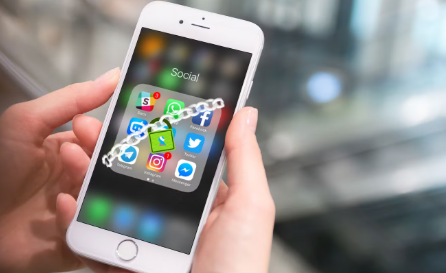

A phone can feel personal even when it passes through several hands during the week. A parent lends it to a child for a video, a friend uses it to make a call, a partner checks a map, or a coworker borrows it to scan a document. Those small moments matter when the same device also holds private entertainment accounts, payment apps, saved passwords, and personal messages. The risk is rarely someone deliberately searching through the phone. More often, a notification appears on the lock screen, the browser opens an old tab, or autofill suggests information that was meant to stay private. Shared-device habits deserve more attention than they usually receive.
Browser history is only one part of the trail
On a shared phone, returning here from a saved tab can reopen more of the previous session than the account owner expects. Closing the tab does not always log an account out, and private browsing does not erase records held by the website, email provider, bank, or payment service. The safer routine is to log out, close the session, and check whether the browser saved the password. Lock-screen previews can also reveal account names or transaction messages without anyone opening the app.
The same issue appears with home-screen shortcuts. A webpage saved as an icon may look similar to an installed app, so another person using the phone may open it without realizing what it contains. Folder placement and a device lock help, but they are weaker than keeping sensitive accounts off a phone that is regularly shared.
Autofill can reveal more than the account password
Browsers and keyboards may remember email addresses, phone numbers, card details, and form entries. This is convenient on a personal device, but it can expose private data when the phone changes hands. A gambling or casino account may also use the same email as shopping and banking services, which makes the account easier to connect with the person behind it. Reviewing autofill settings and saved payment methods reduces that overlap. A unique password should be used even when the browser offers to remember it.
One-time codes deserve the same care. SMS previews can display verification numbers on the lock screen, while email apps may show password-reset links in notification previews. Turning off sensitive previews prevents casual exposure when the phone is lying on a table or being used by someone else.
Payments should remain visible to the account owner
Fast mobile payments can make an entertainment account feel detached from the rest of the household budget. On a shared device, that separation becomes even harder if several cards or wallets are saved. The account owner should know which payment method is connected and remove methods that do not belong there. A failed deposit should be checked before another attempt is made because payment notifications may arrive later than the webpage response. Keeping a simple record of deposits and withdrawals makes it easier to spot duplicate or unfamiliar activity.
Shared-phone settings worth checking
- Lock-screen previews for email, SMS, and payment notifications.
- Saved browser passwords and active sessions.
- Autofill entries containing addresses or payment details.
- Home-screen shortcuts that open private account pages.
- Biometric access for banking and payment apps.
- Browser profiles used by different people on the same device.
Adult entertainment needs a separate spending boundary
If the private account involves casino or betting activity, financial boundaries matter as much as digital privacy. Adults should use such services only where they are permitted and should decide a fixed entertainment amount before opening the account. Rent, groceries, medicine, transportation, debt payments, school costs, and family expenses should remain outside it. A shared household makes that separation even more relevant because money moved from a common card can affect someone who never used the service. Private entertainment should never create a hidden household expense.
A device that is frequently borrowed is also a poor place to leave one-tap payment options enabled. Requiring authentication before every transaction adds a deliberate pause and prevents accidental use by another person. It also makes unfamiliar transactions easier to question because the account owner knows that each payment should have required a separate confirmation.
Privacy depends on the routine after the session
The most private account can become visible through ordinary phone behavior if the session is left open, notifications stay public, or payment details remain saved. Shared-device privacy therefore depends less on one special setting than on what happens after use. Log out, close sensitive tabs, review saved credentials, and keep payment authentication turned on. If the phone is used by children or several adults, separating browser profiles or avoiding sensitive accounts on that device may be easier than constantly cleaning up afterward. A personal screen is not automatically a private screen once other people regularly hold it.